> For the complete documentation index, see [llms.txt](https://docs.novaworks.net/naturya-shopify-theme/llms.txt). Markdown versions of documentation pages are available by appending `.md` to page URLs; this page is available as [Markdown](https://docs.novaworks.net/naturya-shopify-theme/global-sections/cart-drawer.md).
# Cart drawer
Set up Cart drawer for a seamless shopping experience.
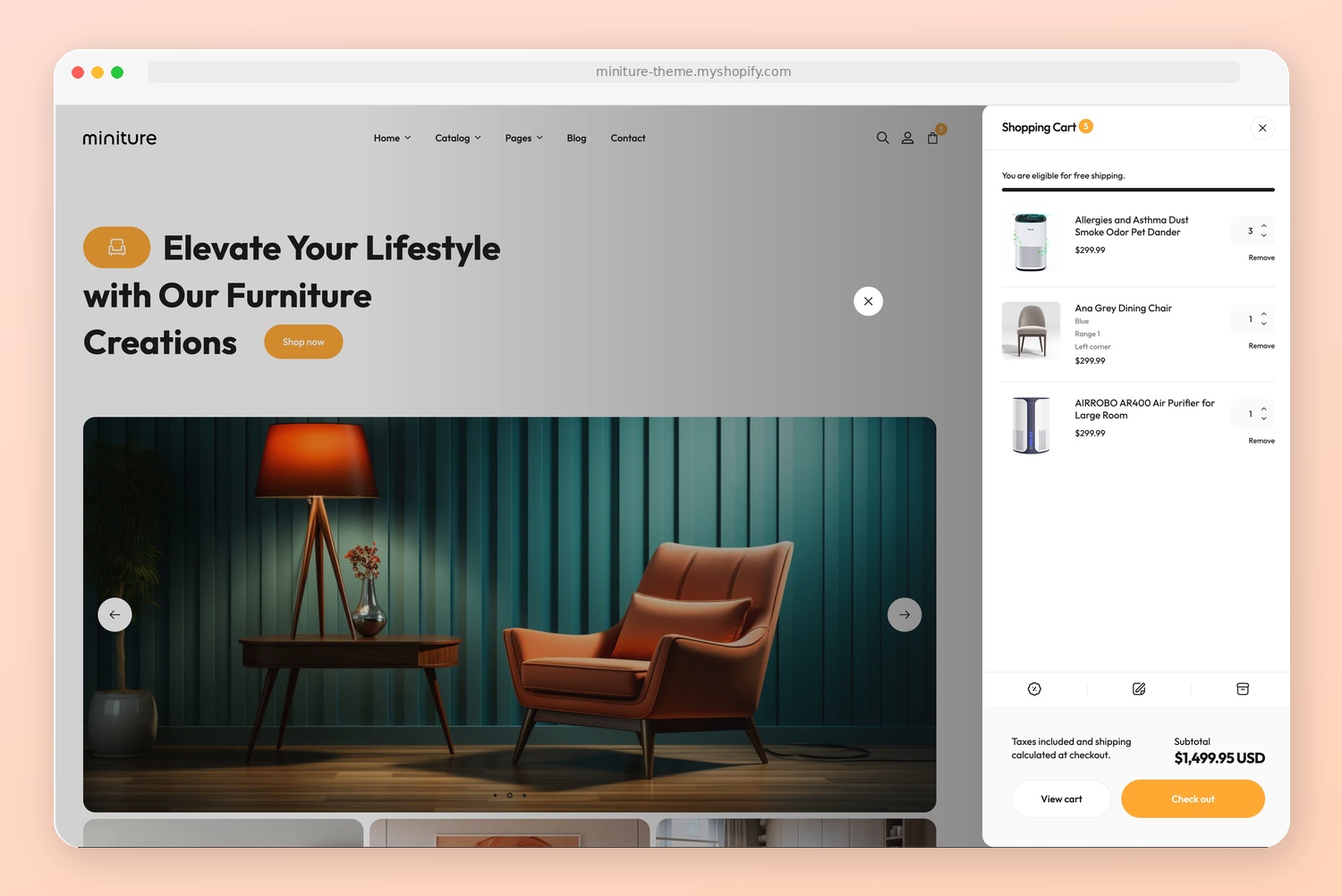
Cart drawer (also known as the slide-out cart, or side cart) allows customers to view and manage their shopping cart without leaving the current page.
Overall, a cart drawer is useful for improving the user experience and increasing conversions to an online store. By giving an enhanced customer experience, you can reduce the cart abandonment rate of your store.
### How to enable the Cart drawer
{% hint style="success" %}
Steps:
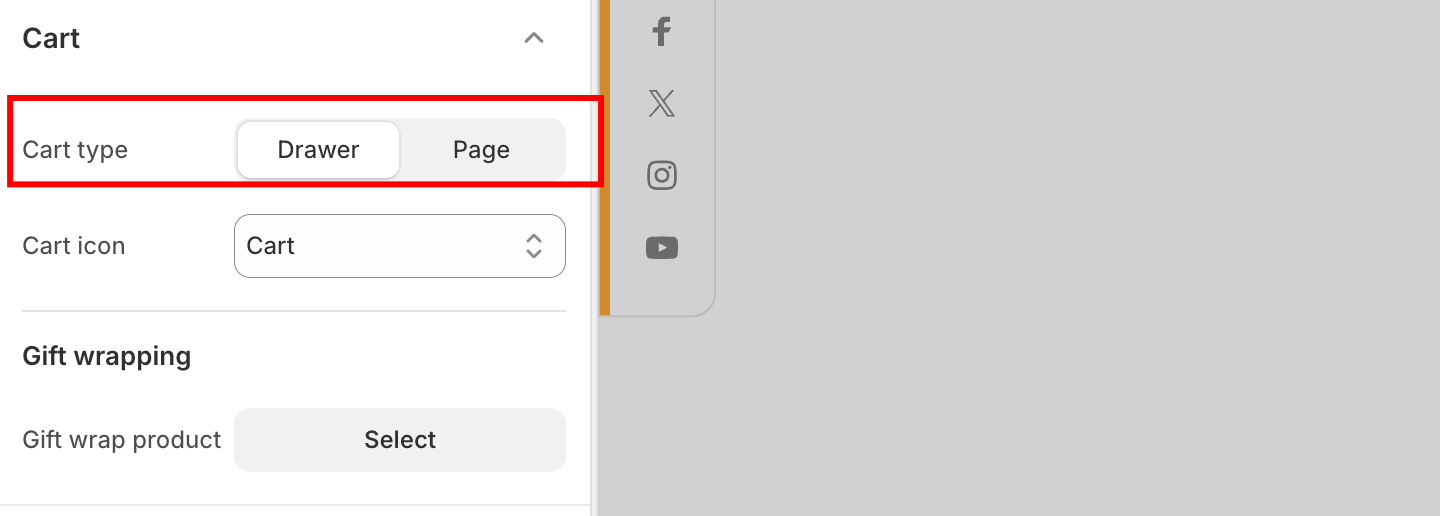
1. From the theme editor (**Customize**), navigate to **Theme settings** > **Cart**.
2. Set the **Type** as **Drawer**.
3. **Save** the changes.
{% endhint %}
### How to customize the Cart drawer
{% hint style="success" %}
Steps:
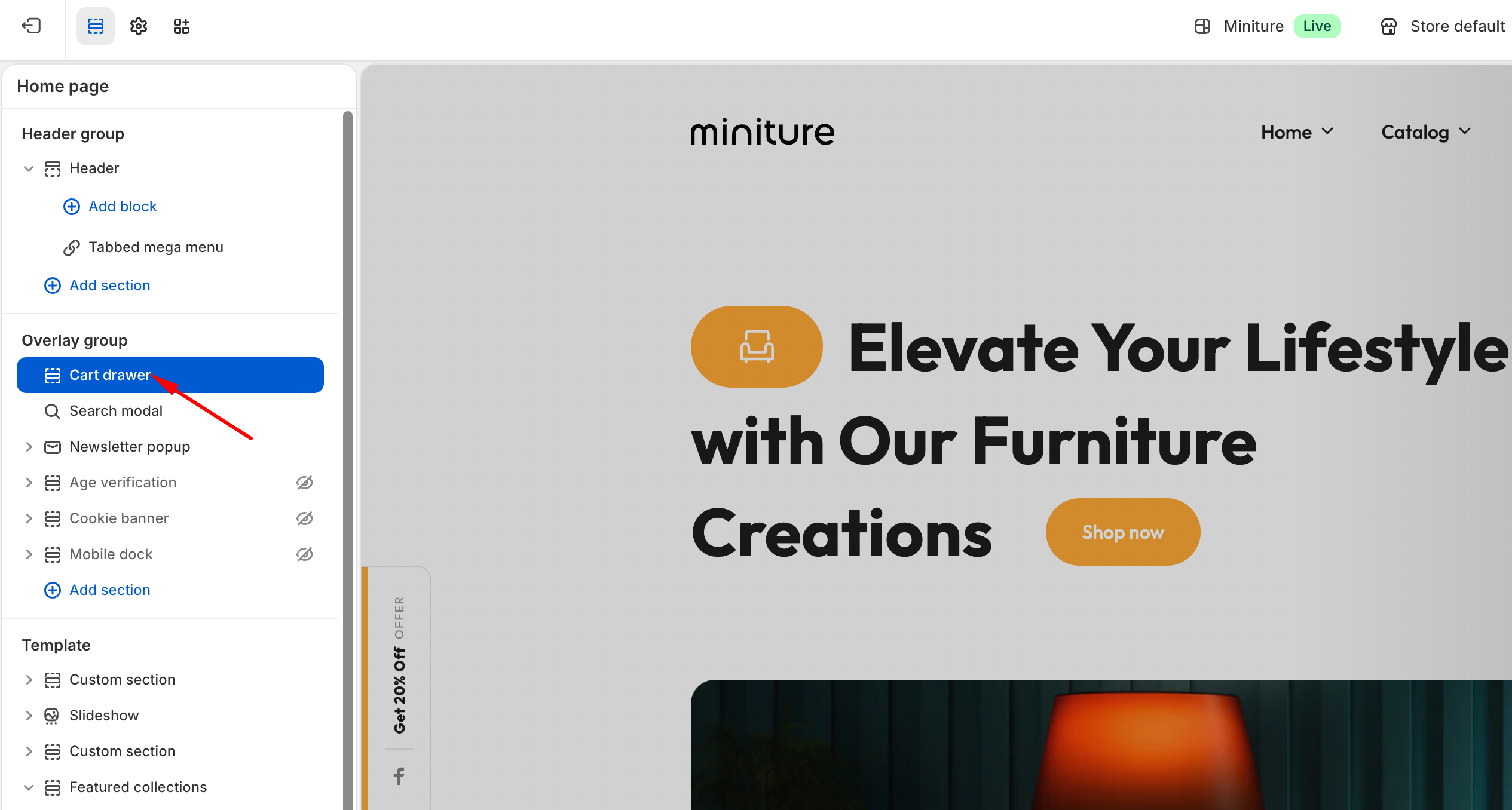
1. In the theme editor (**Customize**), scroll down to the **Overlay group** area.
2. Select the **Cart drawer** section.
3. Make necessary changes.
4. Click **Save**.
{% endhint %}